| 1. | Go to http://www.accutracking.com and register an AccuTracking account. |
| 2. | Add phone to your account. |
| 3. | Install AccuTracking phone software on your phone. |
| 4. | Take the phone outside for a GPS position fix. |
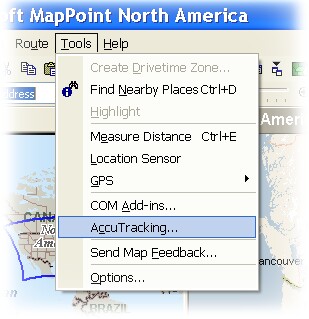
| 5. | On your PC, open Microsoft MapPoint, click menu "Tools > AccuTracking...": |
The AccuTracking dialog will show up:
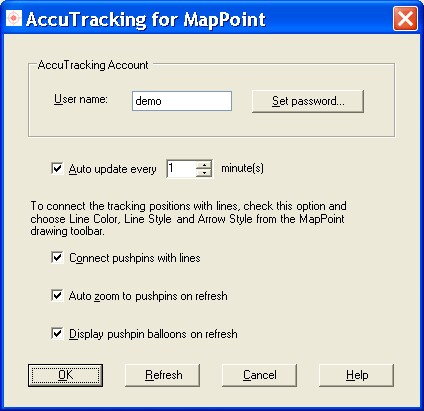
| 6. | Input your AccuTracking account and password. |
| 7. | Enable or disable auto update, set the auto update interval. |
| 8. | Configure auto connect and auto zoom options. |
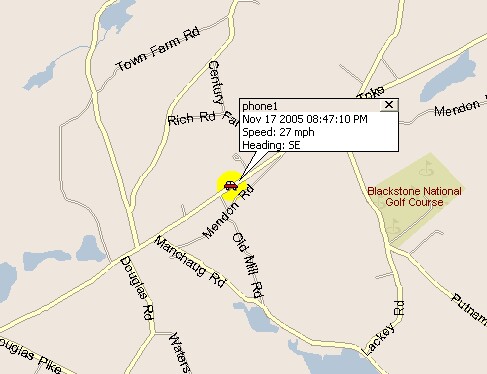
| 9. | Click "Refresh" button to test the account setting. You should be able to see your latest phone position in MapPoint: |